Your dining room at a glance.
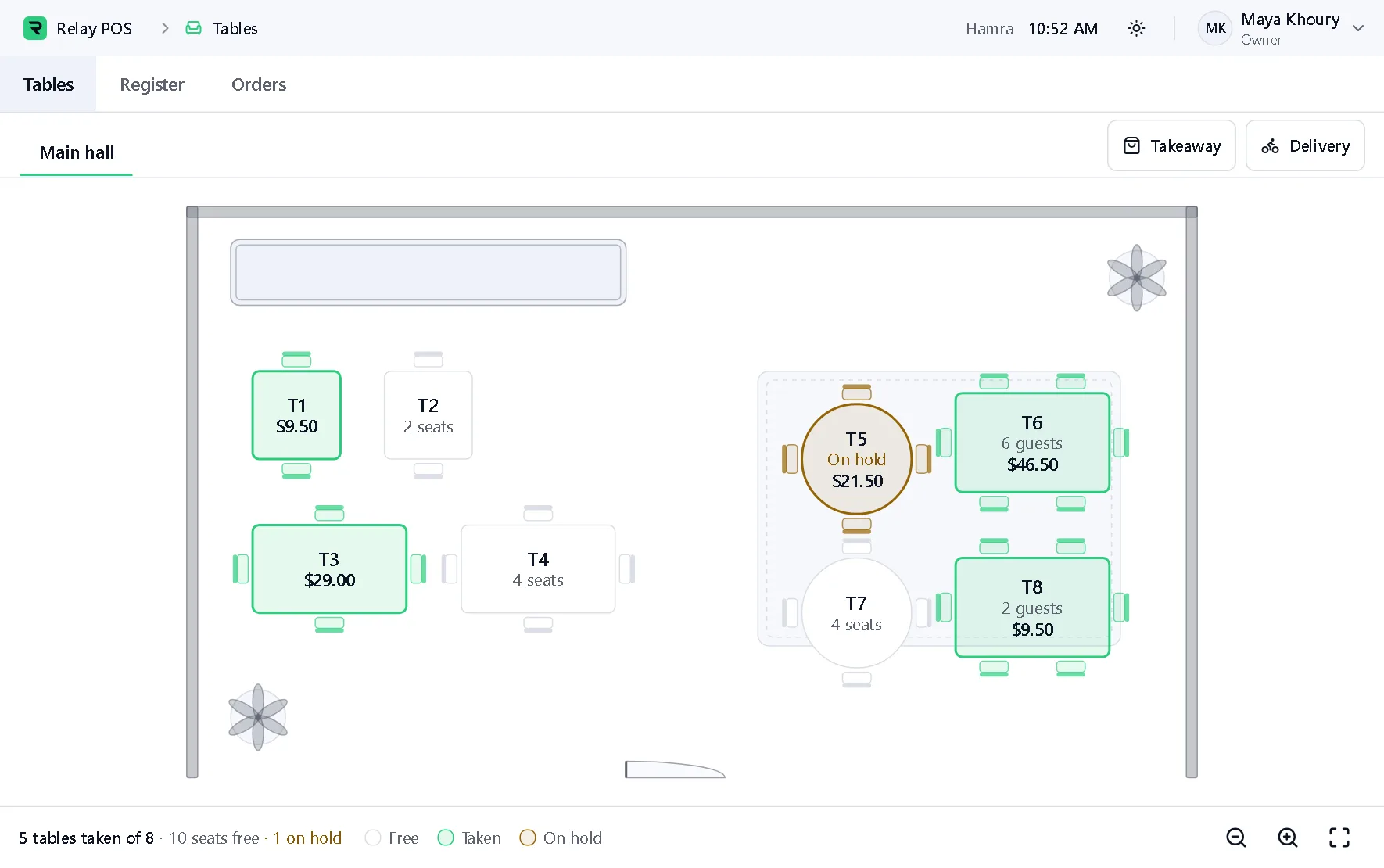
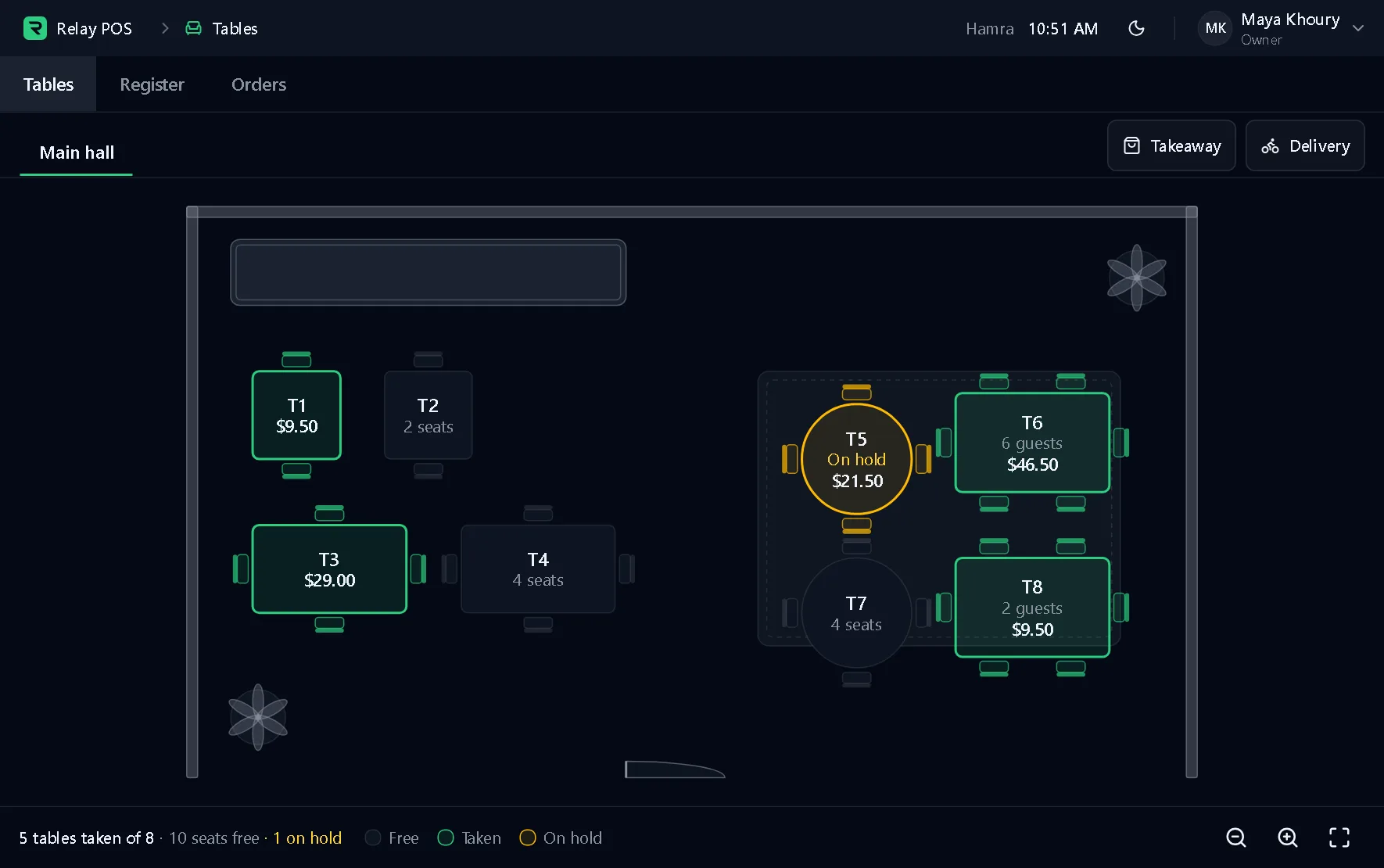
A floor plan of the room, with each table showing whether it is free, taken or on hold.
What it does
Part of the Synor POS terminal, which runs on Windows. The pictures are of the real terminal on made-up data.
The room as it is
A plan of your dining room, with its tables and its bar counter.
Free, taken or on hold
Every table shows its state, so nobody has to ask the floor.
Guests and totals
A taken table shows its guests and what the order comes to.
Goes with it
- Restaurant POSOrders and payments that keep going with no internet.
- Kitchen displayA ticket board for each kitchen station.
- QR menusA menu your guests open on their phone.
- Loyalty programmesStamps or points that bring guests back.
- Receipts and printersDesign your receipt and print it on USB or network printers.
Behind every counter
Synor ERP is the back office we set up beside your terminals.
Set up to work with your restaurant: stock, recipes and suppliers in one place.
Explore Synor ERPSet up with you
- Inventory
- Purchasing
- Accounting
- People and payroll
- Customers
- Reports
Let's find a time.
We set up your business, install the terminal and activate it. You just sell.